(2025)
B2B SaaS · WebDesigning for how managers think
I restructured a sales analytics dashboard so field managers could assess individual performance, spot execution gaps, and make faster decisions — without switching screens or second-guessing the data.
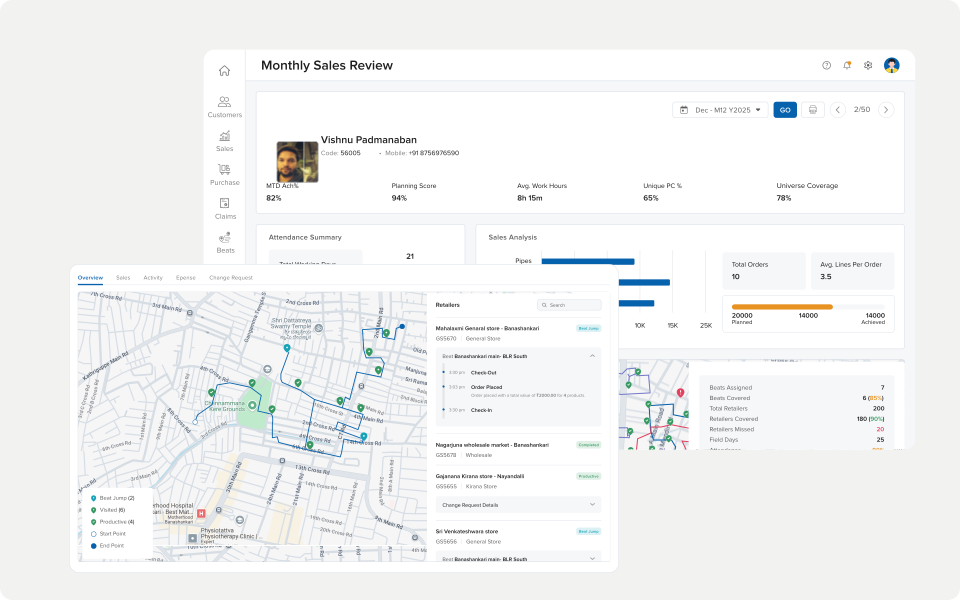
My focus: Aligning information architecture with how managers actually evaluate performance — not how the system stored data, but how decisions get made in the field.
Timeline
(2025)
Role
Sole UI/UX Designer
Team
1x CEO
1x Senior Developer
Overview & Research
Overview
The DSR/MSR Analytics Dashboard is a web-based tool used by field sales managers to monitor the performance of their Direct Sales Representatives and Market Sales Representatives. It surfaces individual and team-level metrics to help managers monitor field execution.
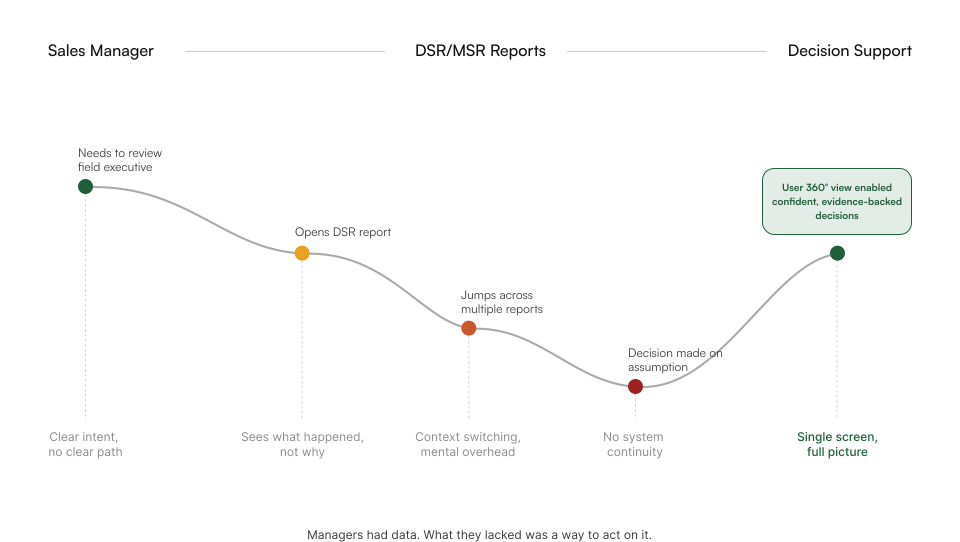
Despite having access to this data, managers continued to rely on informal check-ins and phone calls to assess performance — a signal that the dashboard wasn't supporting how decisions were actually made.
2
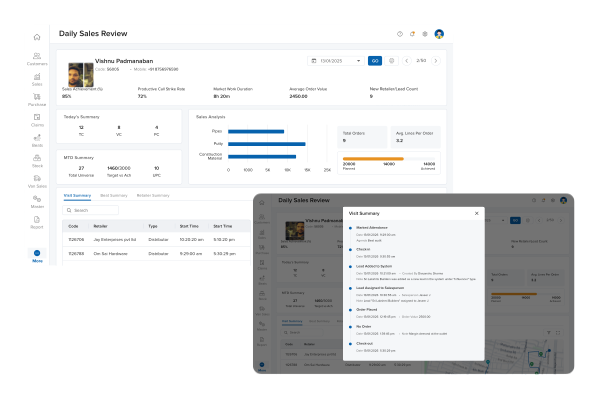
Reporting modes unified into one view
15-20
DSRs tracked per manager
1
Sole designer on the project
What I found in the field
Data without context
Metrics were available but not meaningful. Managers saw numbers without understanding what they indicated about individual performance or where intervention was needed.
Too many screens
Assessing one DSR required navigating across multiple views — visit data here, order data there. No single place to form a complete picture.
Informal workarounds
Managers had developed their own tracking systems — WhatsApp notes, Excel sheets — because the dashboard didn't support the way they actually evaluated their team.
"I have to check three different screens just to understand how one person is performing."
— Field Sales Manager
Constraints
Why this was so hard
This was not a data visualisation problem. Several constraints made the challenge inherently complex.

Multiple manager types
DSRs, MSRs, and hybrid roles had different performance metrics and evaluation criteria — requiring a flexible structure without creating separate products.

Data complexity
The backend surfaced raw transactional data — visit logs, order entries, scheme flags — that required significant design work to make meaningful at a glance.

Time-constrained usage
Managers used the dashboard in brief windows — between meetings, before calls. Every extra tap or screen transition was a real cost.

No prior research
There was no existing user research on how managers made performance decisions. Insights had to be gathered from scratch through interviews and observation.
Design Decisions
How I decided what to build — and why.
Every decision was made against one question: does this give the manager what they need to act — or just more data to scroll through?
01. Decision
Designed around the manager's evaluation question, not the data structure
Why
Managers don't think in database tables — they think in questions. Who isn't hitting their targets? Where are visits dropping off? Restructuring the IA around these questions made the dashboard immediately usable.
Observed during design validation — managers identified underperforming DSRs within seconds of seeing the restructured view
02. Decision
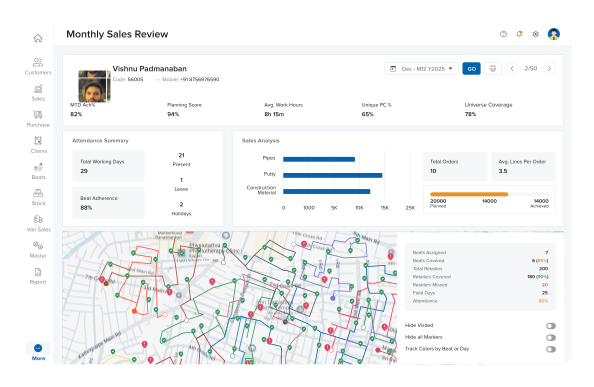
Brought individual-level visibility to a single screen
Why
The most common manager task — assessing one person's performance — required navigating three separate screens. Collapsing this into a single DSR profile view eliminated the navigation tax entirely.
Validated through manager walkthroughs — time to assess one DSR dropped to under two minutes in usability sessions
03. Decision
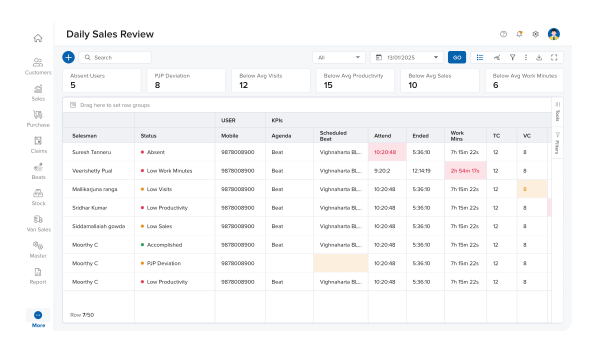
Designed for scanning, not reading
Why
Managers had minutes, not hours. Every metric needed to communicate its status at a glance — without requiring the manager to interpret raw numbers. Colour, hierarchy, and visual indicators replaced data-dense tables.
Consistent feedback from walkthroughs — managers described the redesigned view as faster to read, without prompting
Outcome & Reflection
What changed — and what it taught me.
Three decisions. One question: does this give the manager what they need to act?

Single-screen assessment
Managers could evaluate individual DSR performance — visits, orders, scheme adherence — from one screen without switching views.
Faster intervention decisions
Design walkthroughs showed managers could identify underperforming team members and decide on next steps faster — without navigating to a second screen
Reduced informal workarounds
Managers reported the restructured dashboard replaced their personal Excel and WhatsApp tracking systems for day-to-day performance monitoring.
Reflection
This project taught me that analytics design is not about displaying data — it is about supporting decisions. The gap between what the system surfaced and what managers actually needed to know was not a data problem. It was a design problem. Understanding how people form judgements under time pressure — and designing systems that support that process — is what drew me toward studying cognition and decision-making in HCI.